
Mortgage Protection
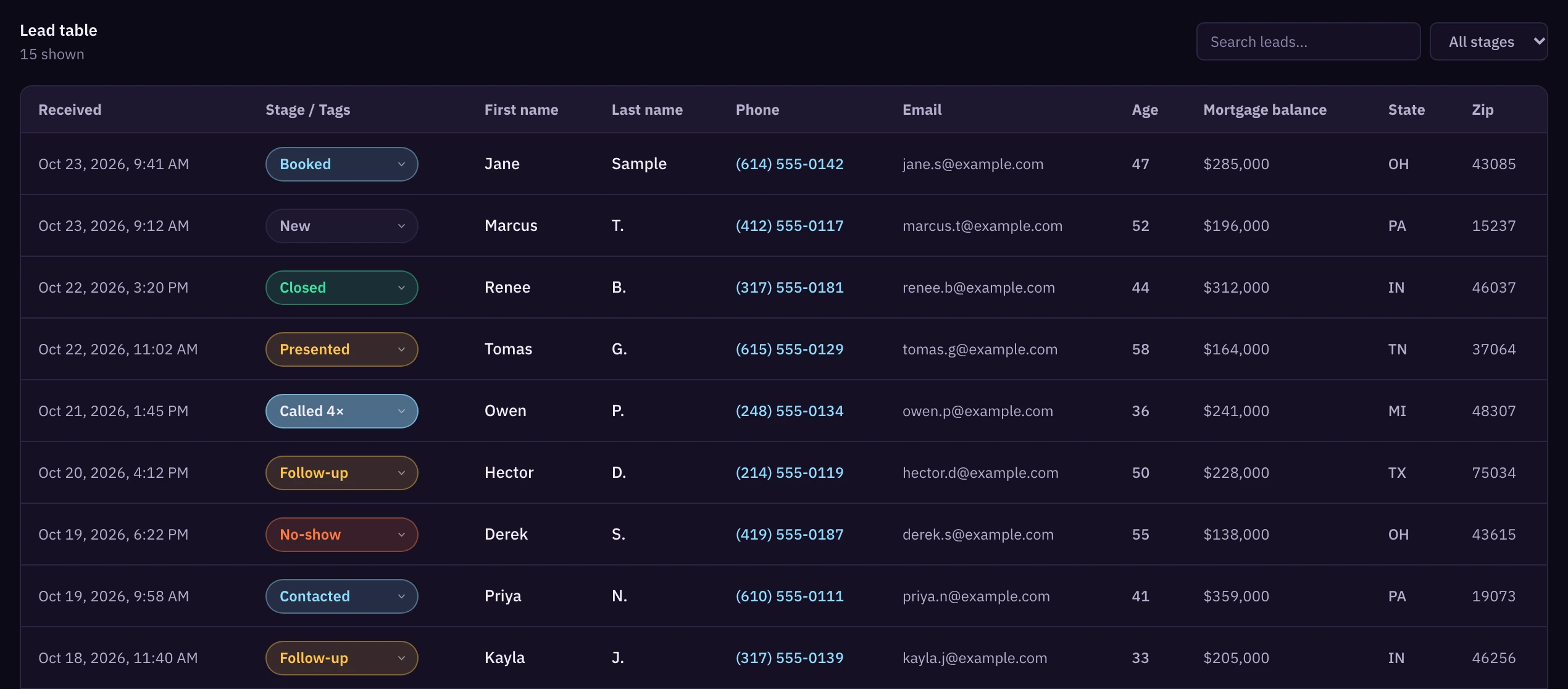
Live nowEach lead has name, phone, email, state, ZIP, age, mortgage balance and Phone verified: Yes.
See plansWe buy our own Facebook and Instagram ads. Before a lead reaches you, the homeowner checks a consent box and types in the code we text to their phone. Each lead goes to one agent account. Mortgage protection leads run about $20 to $23 each.
Licensed agents only. Prices are from the 30 days ending Nov 2, 2026.

Each lead has name, phone, email, state, ZIP, age, mortgage balance and Phone verified: Yes.
See plansAfter you sign up, join the IUL waitlist from the Wallet page in the app.
Join the final expense waitlist from the same Wallet page.
We run Facebook and Instagram ads and pay for them ourselves. The ads send people to our mortgage protection form.
They enter a ZIP code, pick a mortgage balance and an age range, then type their name, email and mobile number.
They check a box agreeing to calls and texts from licensed insurance agents about mortgage protection. If they don't check it, we don't text them a code. We keep the consent wording they agreed to, the page URL and the time on file. That record stays with us and doesn't come with the lead. If you get a consent complaint, email support@fomoleads.io.
We text a one-time code to the number they typed, and they have to enter it on the form. Once they do, the lead shows Phone verified: Yes.
Before you're charged, we drop fake numbers (all one digit, or sequential) and numbers our phone lookup flags as invalid or disconnected. Landlines stay in.
The lead goes to the next agent in rotation who covers that state. If that's you, your per-lead rate comes out of your wallet.


Add the FOMO app to your home screen (Safari on iPhone, Chrome on Android) and allow notifications.
Tap the alert and your leads open in the app.
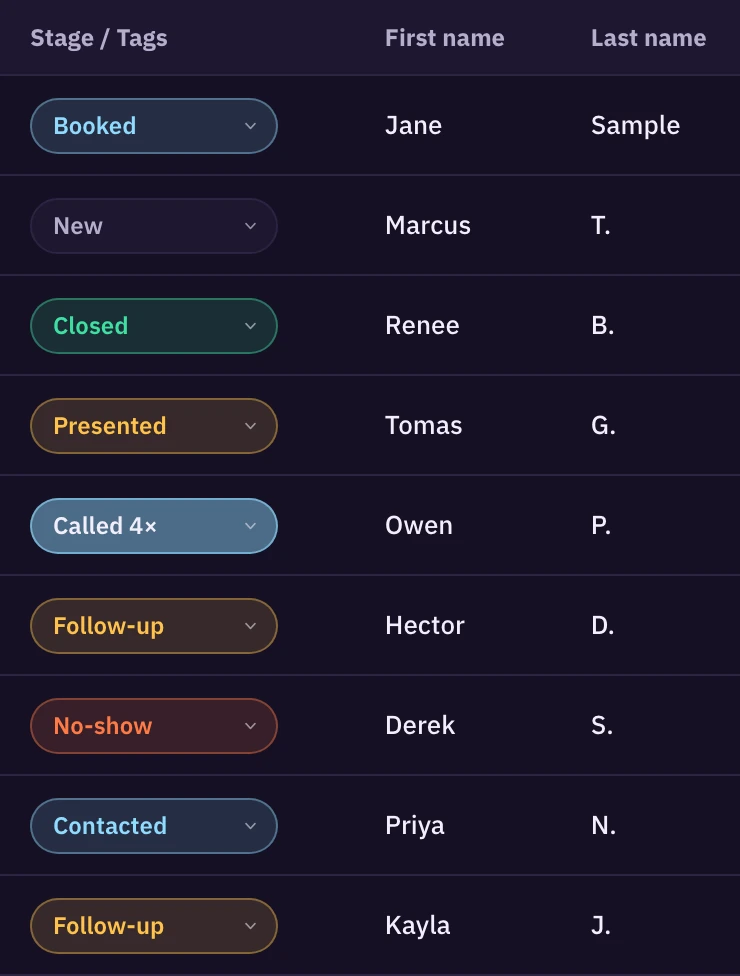
Move each lead through your stages as you work it: Called, Contacted, Booked, No‑show, Presented, Follow-up, Closed. Log your dial attempts and notes on the lead. Archive dead leads as Not interested or DNC.
You can export your leads to CSV.
Paste your webhook URL in the app. Each lead posts to your CRM when it's assigned to you, with name, phone, email, state and their form answers. Send a test lead to check it works. If a delivery fails, we retry it.
Works with GoHighLevel or any CRM that takes an inbound webhook. Connect the GoHighLevel stage hook and stage changes your team makes in GoHighLevel show up in FOMO.
When you close a deal, log the AP and your commission percent. Your dashboard works out contact rate, booking rate, average AP, lead to close, CAC and ROI against what you spent on leads. The States report breaks your results out by state.
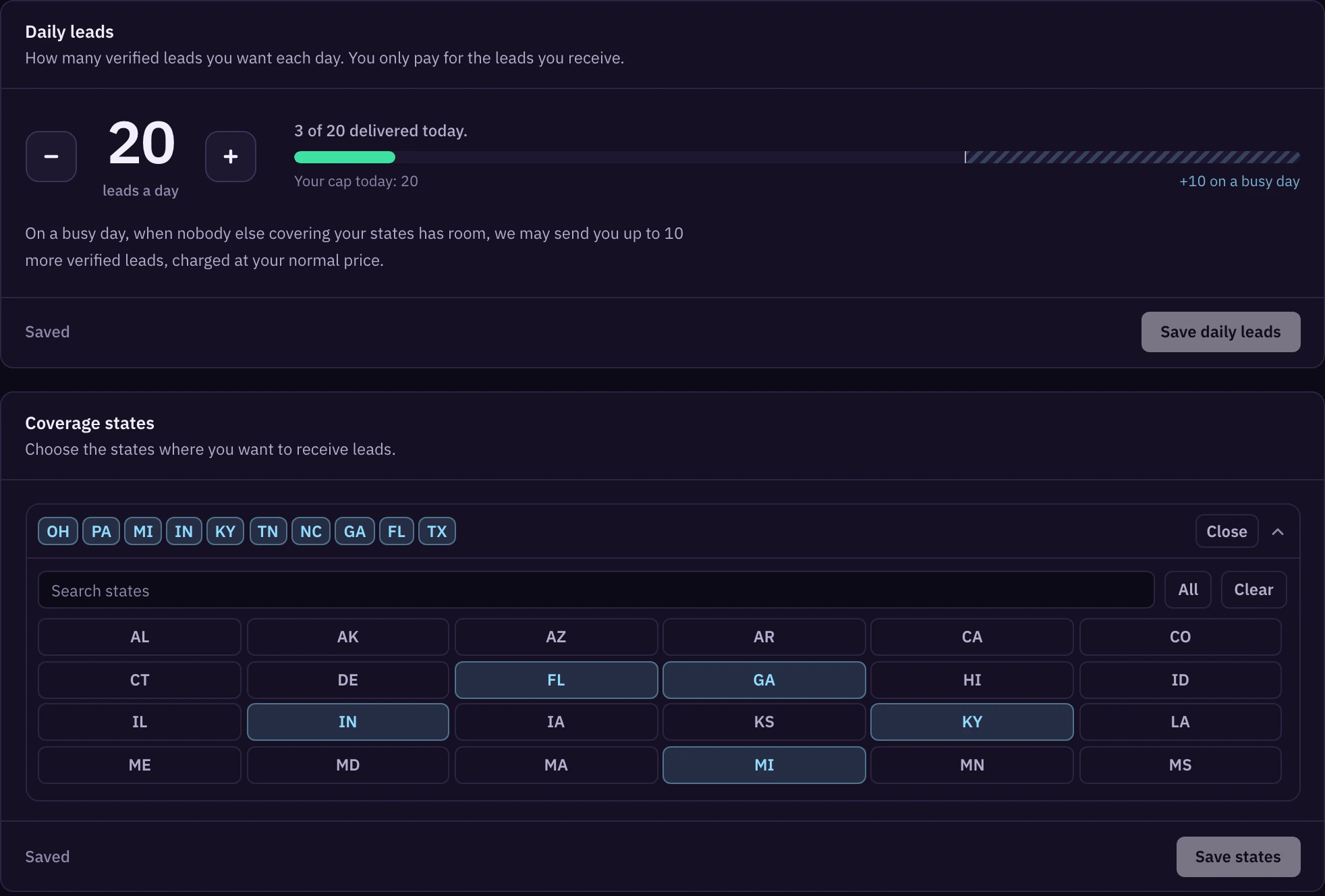
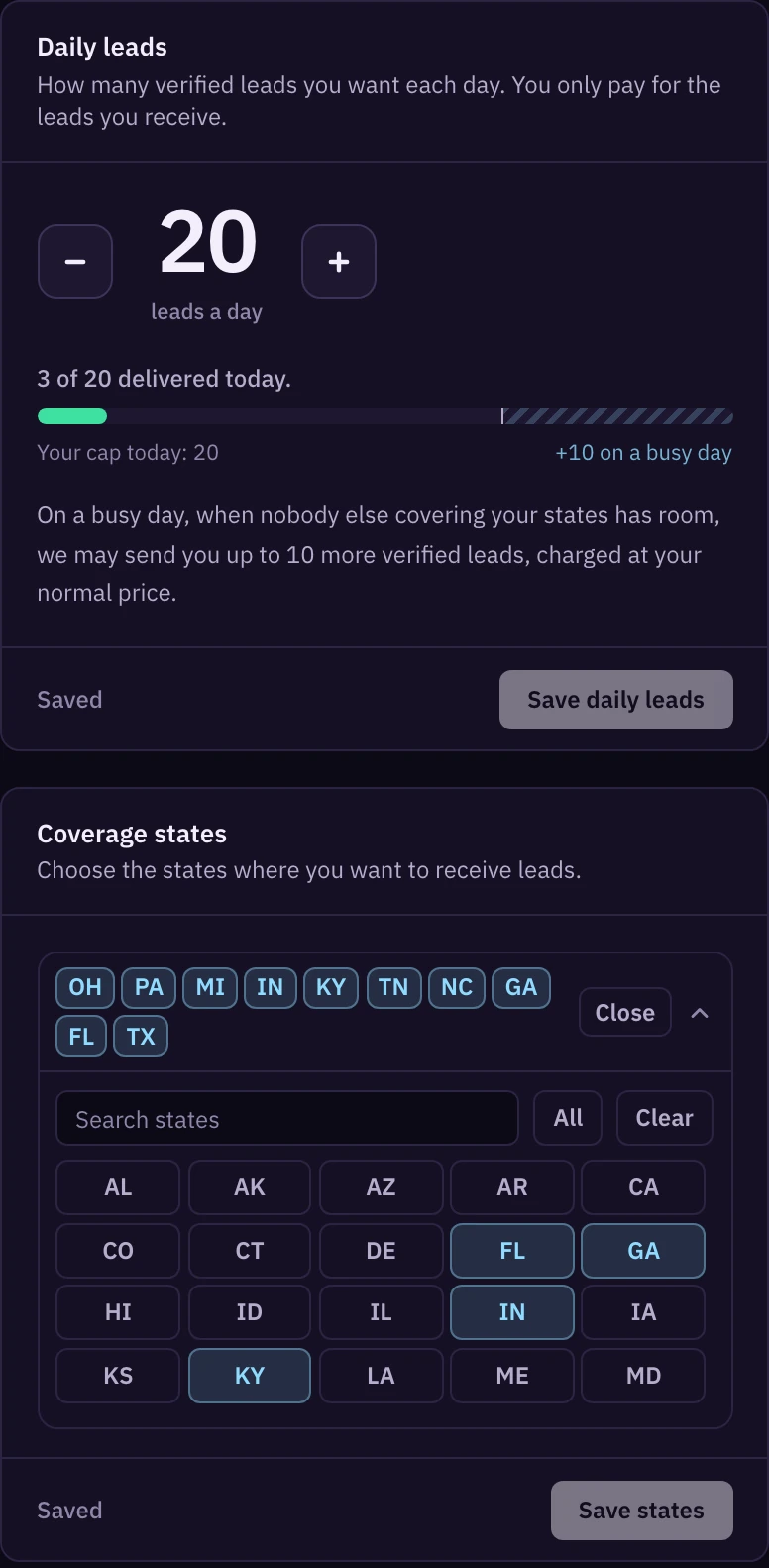
Choose only states you're licensed in. You can change them anytime in the app.
The max starts at 30. Email support@fomoleads.io to raise it.
If every other agent in a state is capped, we can send you up to 10 leads over your cap that day. You pay your normal rate for them.
Leads stop when your wallet runs out or you reach your plan's spend cap for the period.
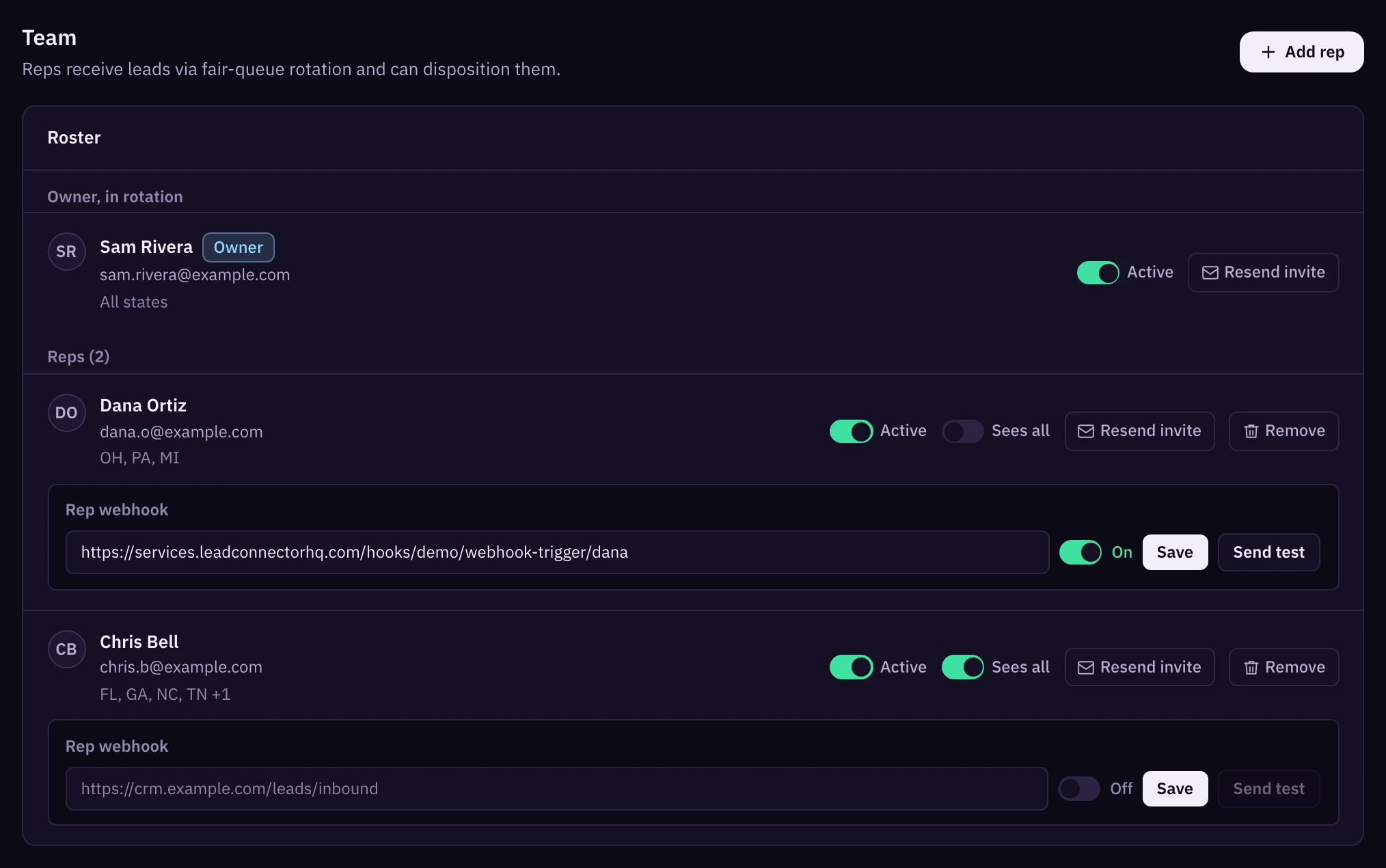
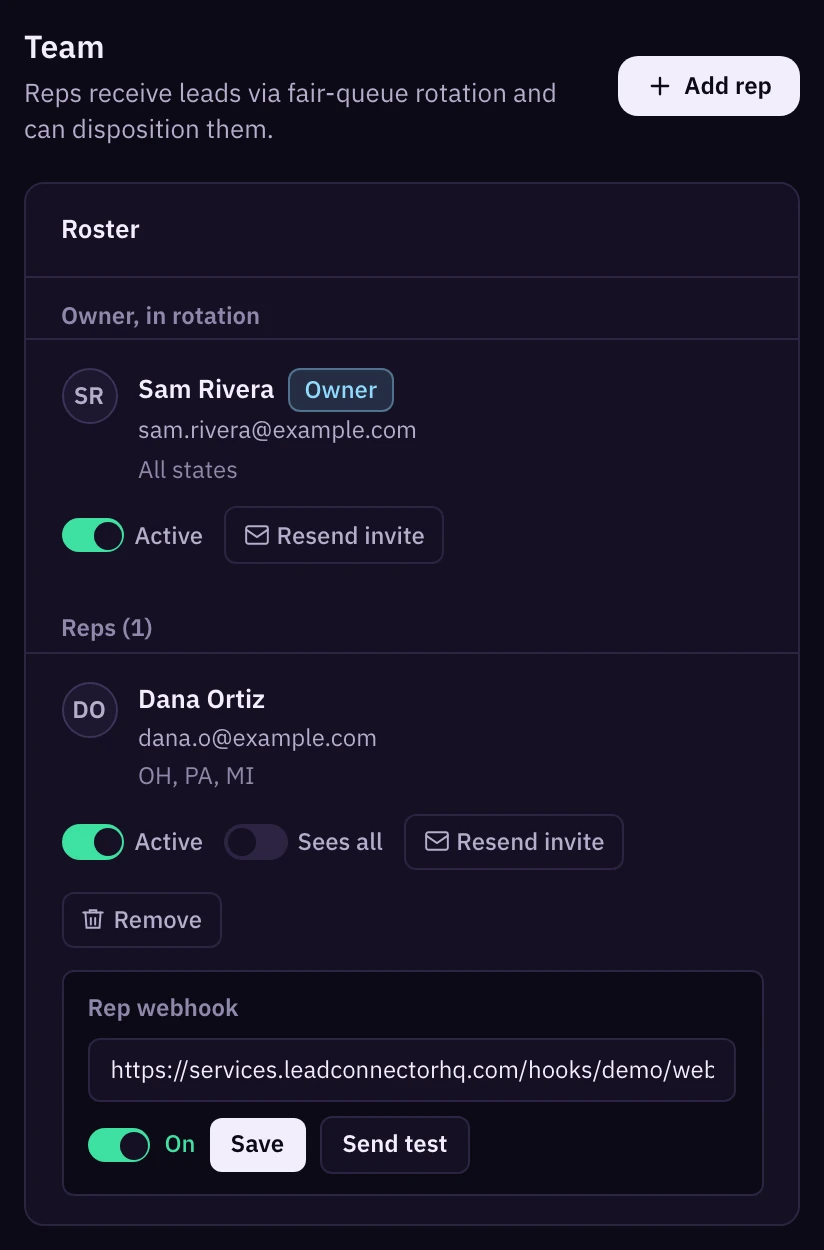
Add reps from the Team tab. Each one gets their own login by invite.
Leads go round-robin to active reps whose states match. A rep with no states set covers all of yours.
A rep can have their own webhook. Turn on Sees all if you want a rep to see every lead on the account. Only you can change the daily cap.
Team stats show each rep's leads, contacted percent, booked and closed.
If you lead a team, you get your own portal. It shows your agents, their leads and spend for the last 30 days, their closes, and the outcome on every lead. You add agents with an invite link.
Email support@fomoleads.io about team setup and team pricing.
These come from the outcomes agents log on their leads in the app.
Mortgage protection leads, last 30 days.
Your plan is billed every 30 days through Whop and sets how much you can spend on leads in that period. You pay for leads from your wallet, on top of the plan fee.
Mortgage protection leads ran $20.05 to $23.34 each in the 30 days ending November 2, 2026.
$597 every 30 days
Up to $3,000 in leads per period
Join on Launch$997 every 30 days
Up to $6,000 in leads per period
Join on Grow$1,497 every 30 days
Up to $10,000 in leads per period
Join on ScaleIf you've never bought from us, you can skip the plan and pay a one-time $247 instead. You can load up to $1,000 into your wallet for leads, paid separately. It doesn't renew. After that, pick a plan to keep getting leads.
Cancel anytime from Manage billing. Your plan runs to the end of the period you paid for.
Every lead in your feed comes off our own mortgage protection form, after the person types in a code we texted to their phone. Fake and disconnected numbers are dropped before you're charged. Over the last 30 days, agents reported that about 1 in 5 worked leads booked an appointment.
No. Each lead goes to one agent account.
Yes. Every one of them typed in a one-time code we texted to their phone. It shows Phone verified: Yes.
No. We don't credit back or replace leads over quality. If you were billed wrong or billed twice, got a lead meant for another account, or have a consent concern, email support@fomoleads.io.
Yes. Paste your GoHighLevel inbound webhook URL in the app and map the fields yourself. Each new lead posts to GoHighLevel when it's assigned to you.
It can. Over the last 30 days it ran $20.05 to $23.34 a lead. Your rate locks when you load your wallet, and if the price drops you pay the lower one.
Leads stop until you load more. Before you reload, you'll need to dispo most of your recent leads.
Not yet. You can join the waitlist for either one from the Wallet page in the app.
Yes. FOMO Leads is for licensed agents only. You and anyone working the leads need the licenses your states require.
You do. You're responsible for your own calling and texting compliance, including DNC checks, calling hours and opt-outs. The phone code doesn't replace any consent the law requires.
No. We buy our own ads on Facebook and Instagram. FOMO Leads isn't affiliated with Meta.
Cancel from Manage billing or email support@fomoleads.io. Your plan runs to the end of the period you paid for. Leads already delivered stay charged. Unused funds stay in your wallet, but you need an active plan to keep receiving leads.
Licensed agents only.